
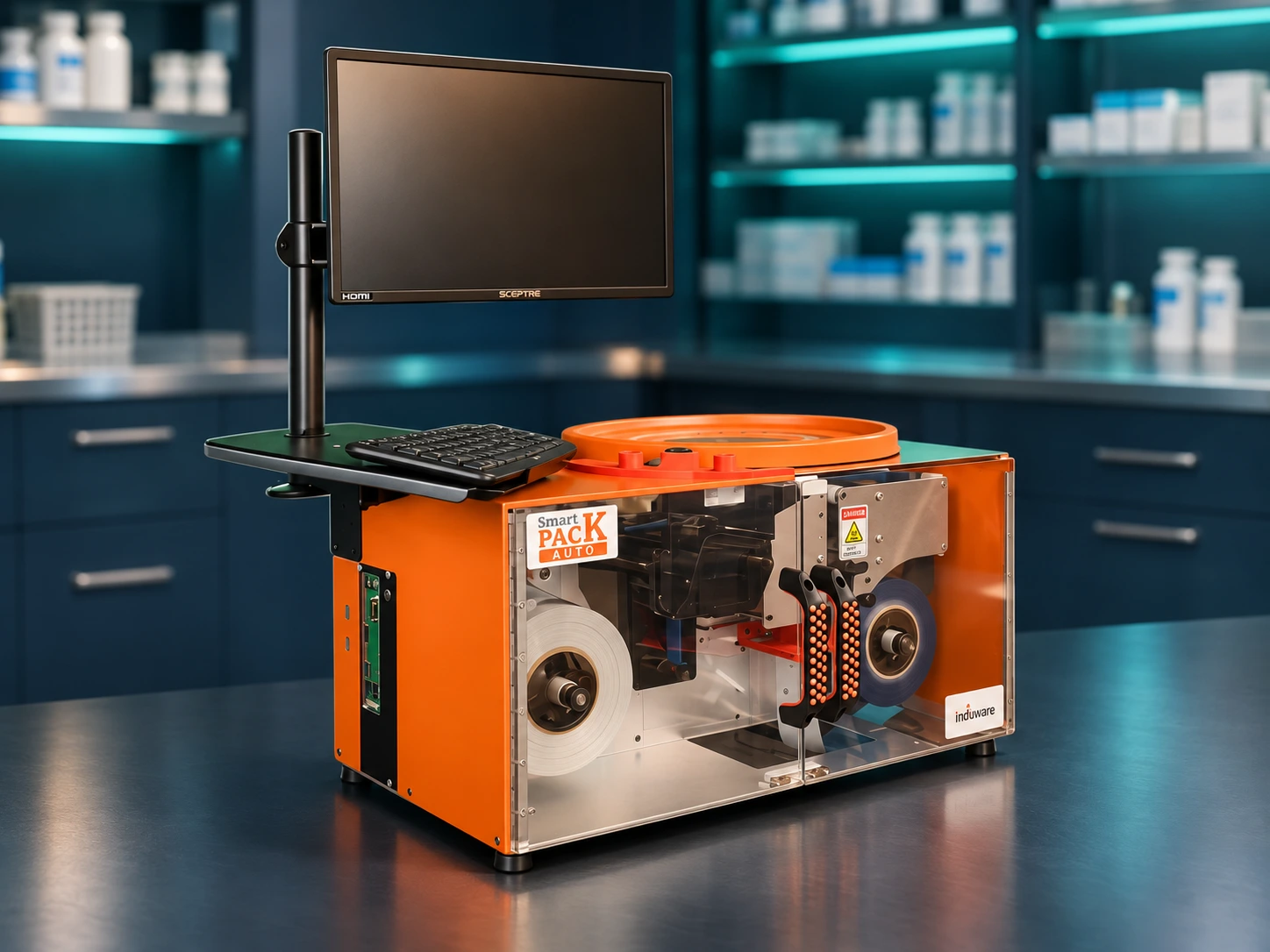
SEMI-AUTOMATIC TABLETOP UNIT-DOSE PACKAGING
Place the dose.
Let the packaging follow.
Keep dose placement in your team’s hands. Smart Pack automates pouch filling, sealing, labelling and barcode verification after staff place medication into the loading positions.
- One tablet per pouch
- Four sizes
- Built-in Smart Print
- 60 pouches/min
- Published maximum speed
- 4 pouch sizes
- Choose the size for the medication
- 1 tablet per pouch
- Unit-dose packaging format
- Built-in Smart Print
- Software and label control
A CLEARER UNIT-DOSE WORKFLOW
A hands-on start. A consistent finished pouch.
For pharmacies that want a compact unit-dose workflow with manual control of loading, Smart Pack connects medication selection, dose placement and automated pouch production.
Manual dose placement
Staff place medication into the designated positions, keeping the loading step visible and hands-on.
Tabletop installation
Bring unit-dose packaging to a suitable work surface. Plan access for medication loading, pouch output, cleaning and replenishment.
Four pouch sizes
Match the pouch size to the medication. Saved drug settings help select the associated size on subsequent runs.
Built-in verification
Read the finished pouch’s barcode to check scannability and encoded information. Keep your pharmacy’s final release checks in the process.
PRODUCT FEATURES
The details behind every finished pouch.
Explore medication handling, printed information and the checks that connect the run from start to finish.
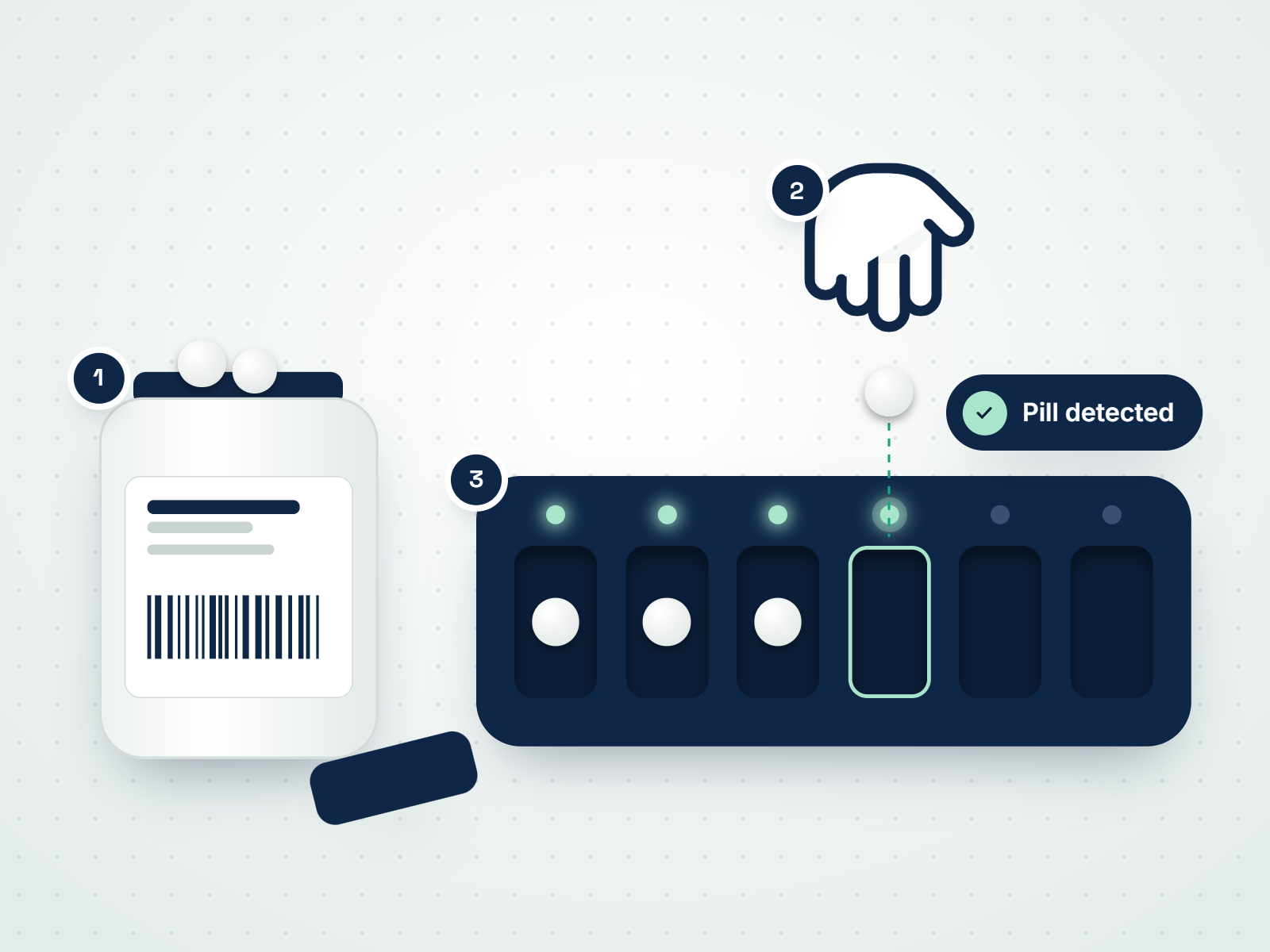
After selecting and verifying the medication, staff place tablets into the designated loading positions. Pill detection supports the transfer into the packaging process.
Produce individually labelled unit-dose pouches at a published maximum of 60 per minute. Actual throughput depends on the medication, loading, settings and staff workflow.
The manufacturer’s patented filling mechanism centres the tablet inside the pouch, away from the sealing area, to help prevent crushing during packaging.
Choose a 2.0-inch pouch width with lengths of 1.10, 1.32, 1.65 or 2.20 inches. Link the size to the drug record so that it is selected on the next run.
After staff place the tablets, Smart Pack transfers them into individual pouches without manual dispensing calibration.
SEE THE WORKFLOW
Watch Smart Pack at work.
Take a closer look at Smart Pack, its loading area, software controls and unit-dose pouch packaging.
Sign in and select
Sign in to Smart Print and select the medication from the drug database.
Scan and confirm
Scan the source medication label and check the drug, lot and expiry information.
Place the medication
Place medication into the designated loading positions for the run.
Print and package
Detect and transfer tablets, print the configured information and seal each unit-dose pouch.
Verify and release
Read the finished barcode, then complete your pharmacy’s checks before releasing the pouches.
A demonstration around your medications.
Ask to see loading, size selection, printing, barcode checks and changeover with a representative run.
THE FINISHED UNIT DOSE
A pouch that fits.
Information that follows.
Bring packaging material, label design and scanner compatibility into the same conversation.
Actual pouch sample · dimension guides not to scale
Label content is configured for your workflow.
- Width
- 2.0 in all four sizes
- Length
- 1.10 · 1.32 · 1.65 · 2.20 in
- Length selection
- Associate a length with the drug record so it is selected on the next run.
- Barcodes
- Data Matrix
- Aztec
- QR
- GS1
- Linear
Validate your selected format with the scanners used downstream.
- Label content
- Build labels from medication fields, static text and formatted dates. Configure instructions and language for the intended use.
- Software
- Smart Print, built in. Manage drug records, pouch-size associations and print setup from the pre-installed software.
Controlled-drug workflows
For narcotic and controlled-drug packaging, connect source-label data, staff access and barcoded output with your pharmacy’s handling, reconciliation and release procedures. Packaging technology supports those checks; it does not establish compliance on its own.
Cleaning between medications
Build routine cleaning into each medication changeover to help reduce the risk of cross-contamination. Follow the manufacturer’s instructions for medication-contact areas, approved cleaning methods and maintenance, and ask to see the cleaning process during your demonstration.
CHOOSE YOUR LOADING METHOD
Two tabletop systems. A different start to the run.
Compare manual dose placement with automatic SmartFeeder loading, then confirm the configuration for your pharmacy.
Swipe to compare both models →
Specifications at a glance2 differences. 11 specifications shared by both models. | SEMI-AUTOMATIC Smart Pack®You’re viewing this model | |
|---|---|---|
| WHAT’S DIFFERENT | ||
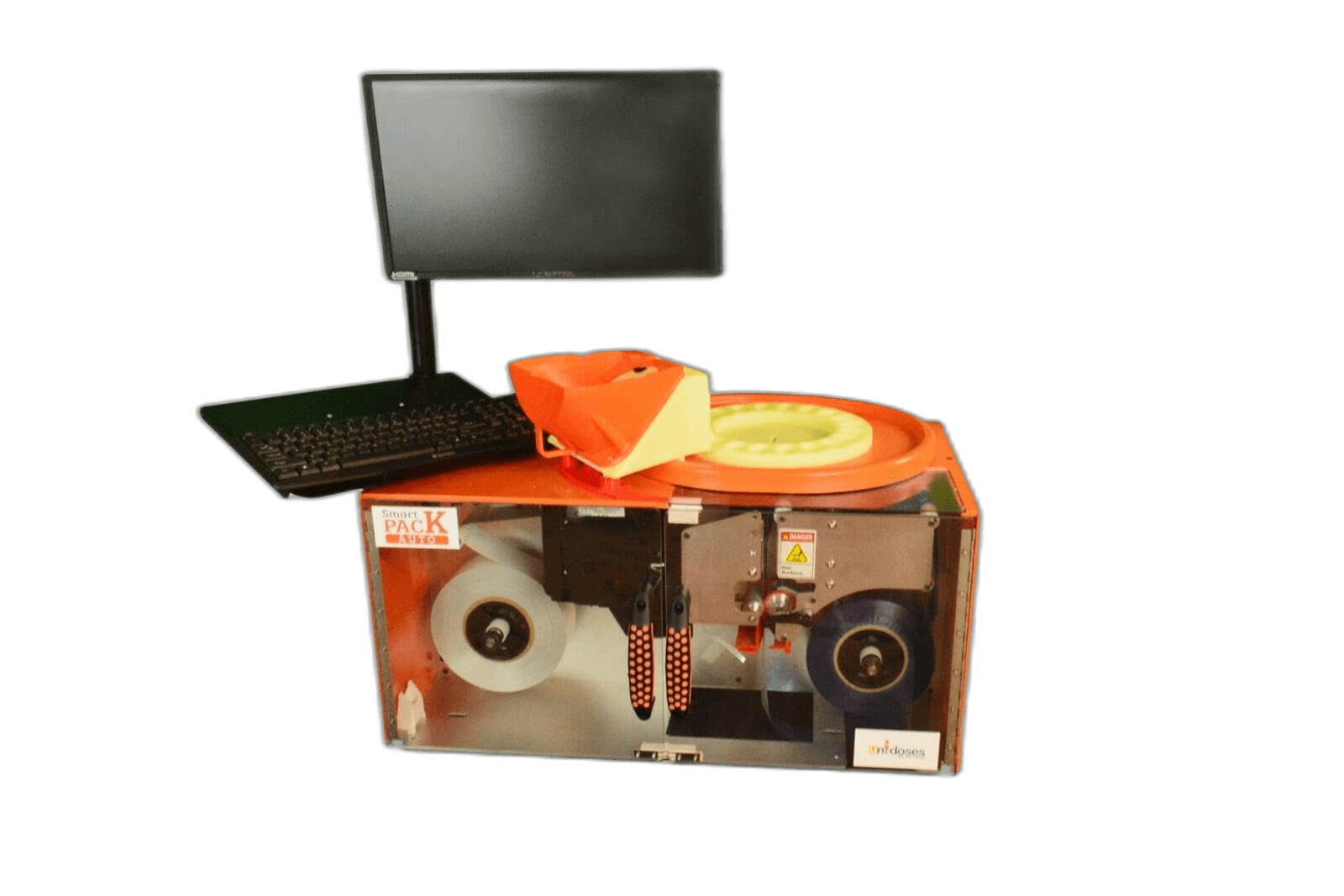
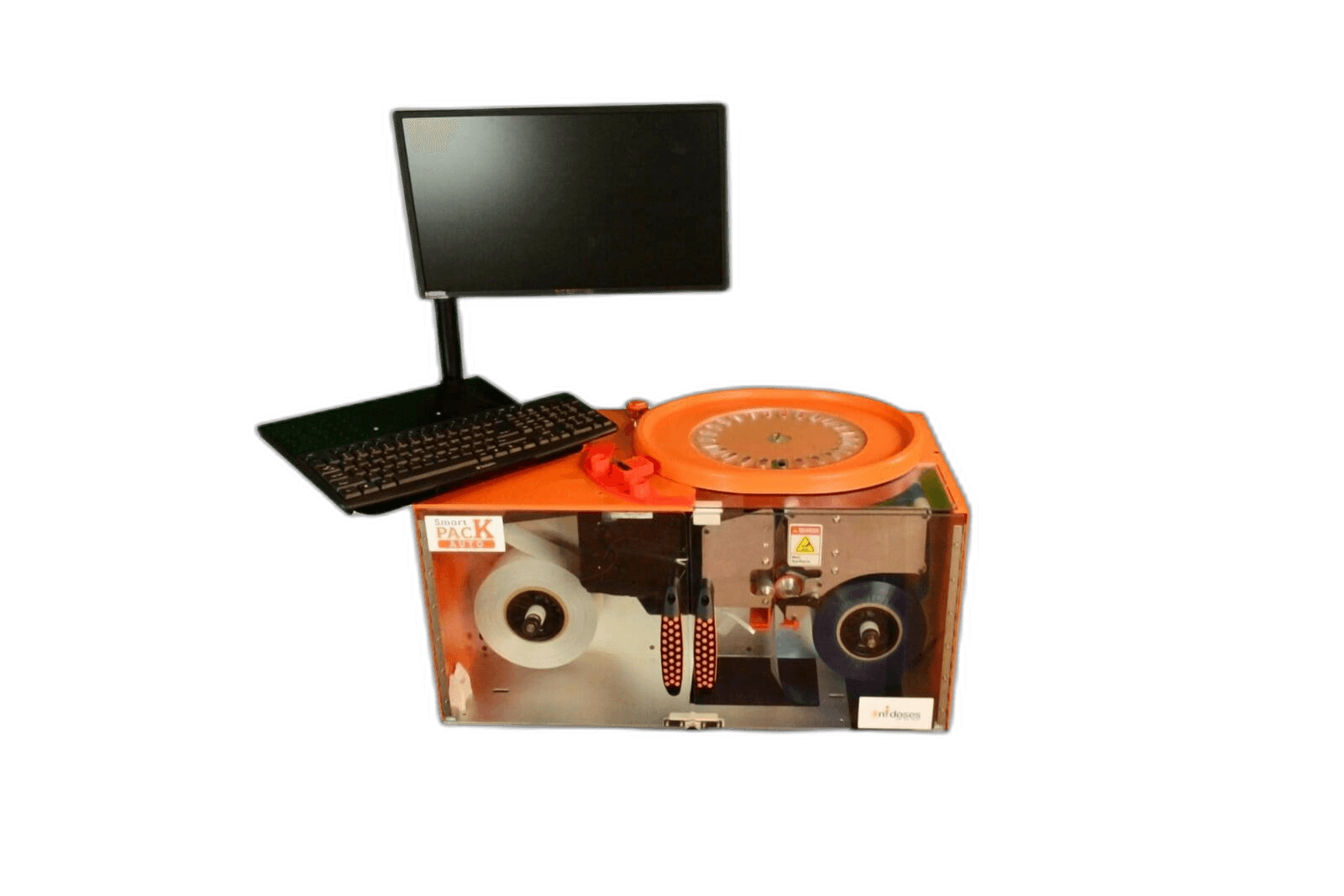
| Loading | Manual dose placement | Bulk loading through the SmartFeeder |
| Tablet feeding | Staff place doses into designated positions | Automatic, one tablet at a time; zero calibration |
| SAME ON BOTH MODELS | ||
| Speed | Up to 60 pouches/min | |
| Units per pouch | 1 | |
| Pouch sizes (width × length) | 2.0″ × 1.10″ / 1.32″ / 1.65″ / 2.20″ | |
| Barcode | 1D linear; Data Matrix, Aztec, QR and GS1 | |
| Software | Built-in Smart Print | |
| Published dimensions (H × L × D) | 1.17 × 2.17 × 1.25 ft (14″ × 26″ × 15″) | |
| Published weight | 60 lb (approximately 27.2 kg) | |
| Power options | 115 VAC / 60 Hz / 320 VA or 230 VAC / 50 Hz / 320 VA | |
| Listed sealing temperature | 93 °C | |
| Computer | Built in | |
| Manufacturer / country of origin | Unidoses / USA | |
Dimensions and weight are the published product values. Confirm the full installed envelope, display and keyboard clearances, electrical option and compatible medication and packaging material in your proposal.
MORE THAN THE MACHINE
Plan the setup. Support the working day.
Your packaging workflow includes software, workspace, supplies and the people who keep it running.
Connect your software
Share your pharmacy system, version and required data fields. Confirm interface availability, responsibilities and test runs before installation.
Explore integration planningPrepare the workstation
Plan a suitable tabletop, power, staff access and space for source medication and pouch output. Include cleaning and operator training.
Talk through site requirementsInclude the everyday supplies
Review packaging material, print consumables, changeover, maintenance and service costs alongside the machine.
Explore the ROI calculatorMAXIS AFTER-SALES SUPPORT
Support for the everyday.
- Warranty and support coverage
- Service, troubleshooting and spare parts
- Packaging material and print supplies
- Training and maintenance planning
Ask MAXIS to confirm warranty terms, on-site service availability, included training and any ongoing support fees in your proposal.
BEFORE YOU DECIDE
Your questions. Clearer answers.
The practical details of semi-automatic tabletop unit-dose packaging.
What does Smart Pack® do?
Smart Pack is a semi-automatic tabletop unit-dose packaging machine for oral solid medications. Staff place medication into the loading positions, and the machine handles pouch filling, printing, sealing and barcode verification.
What is the difference between Smart Pack and Smart Pack Auto?
The main difference is loading. Smart Pack uses manual dose placement into designated positions. Smart Pack Auto uses bulk loading and the calibration-free SmartFeeder to dispense tablets one at a time. Both offer tabletop unit-dose pouch packaging, printed labels and barcode verification.
Is this for unit-dose or multi-dose packaging?
These Smart Pack models are presented here as unit-dose systems: one tablet per pouch. For several medications packaged together for a dose time, discuss a multi-dose system such as Tabletop AdherencePackRx or CAP(EX) with MAXIS.
How fast can it package?
The published maximum packaging speed is 60 pouches per minute. It is a maximum rather than an average or guaranteed workflow output. Medication type, loading, print settings, replenishment and verification affect the practical rate.
Which pouch sizes are available?
Four sizes are listed: a 2.0-inch width with lengths of 1.10, 1.32, 1.65 or 2.20 inches. Associate the appropriate size with the drug record for selection on later runs. Confirm the medication fit and approved packaging material for your configuration.
Which barcodes and label information can be printed?
The manufacturer lists 1D linear barcodes and 2D formats including Data Matrix, Aztec, QR and GS1. Smart Print supports text, multiple data fields and custom dates. Agree the required medication details, instructions, language and barcode content, then validate the output with your own scanners.
What does the built-in scanner check?
It scans the finished pouch to check barcode scannability and encoded information. This does not replace the pharmacy’s medication selection, clinical review, content checks or final release procedures.
How is the machine cleaned to help avoid cross-contamination?
Clean the medication-contact areas between medications according to the manufacturer’s instructions. Routine cleaning of the loading and filling areas helps reduce the risk of cross-contamination; include the sealing and printing areas in the maintenance schedule. Ask MAXIS to demonstrate cleaning access, approved methods and changeover procedures during training, and plan replacement packaging material and print consumables.
Can it connect to our pharmacy management system?
The existing product information names QSI, Computer Rx and Pioneer Rx among integration examples. Share your exact software, version and required data fields so MAXIS and the software vendor can confirm compatibility, responsibilities and test orders before installation.
How much space and power does it need?
The published dimensions are 14 inches high × 26 inches long × 15 inches deep, approximately 1.17 × 2.17 × 1.25 feet, with a listed weight of 60 lb. Power options are 115 VAC / 60 Hz / 320 VA or 230 VAC / 50 Hz / 320 VA. Confirm the installed envelope, display, keyboard, access space and electrical configuration with MAXIS.
Can it support narcotic and controlled-drug packaging?
Barcoded unit-dose pouches, lot and expiry information and staff access controls can support narcotic and controlled-drug packaging workflows. Your pharmacy remains responsible for authorization, records, inventory reconciliation, handling and release under applicable requirements. Discuss the intended medication and procedures with MAXIS before configuring the machine.
What after-sales support is available?
Contact MAXIS for operating assistance, troubleshooting, service, spare parts and packaging supplies. Your proposal should confirm warranty coverage, on-site service availability, training and any ongoing support fees. Agree the support scope before installation.
How do I arrange a demonstration or get pricing?
Watch this model’s product video in the See the Workflow section above. For a guided demonstration or quote, share your medication types, workload, preferred loading method, software details and available workspace. MAXIS can prepare a proposal covering the machine, accessories, supplies, integration, training and support.
COMPARE YOUR OPTIONS
The right format for the way you dispense.
YOUR PHARMACY. YOUR NEXT STEP.
Let’s find your fit.
Bring your medication mix, packaging workload and available space.
We’ll help you plan the right Smart Pack® setup.