
MTC-30 · SEMI-AUTOMATIC VIAL PACKAGING
More prescriptions.
One steady workflow.
Bring semi-automatic vial packaging to your pharmacy tabletop. The MTC-30 counts multiple prescriptions into cups or vials, with connected capacity that grows with your medication mix.
30canisters
on the tabletop
90canisters
when expanded
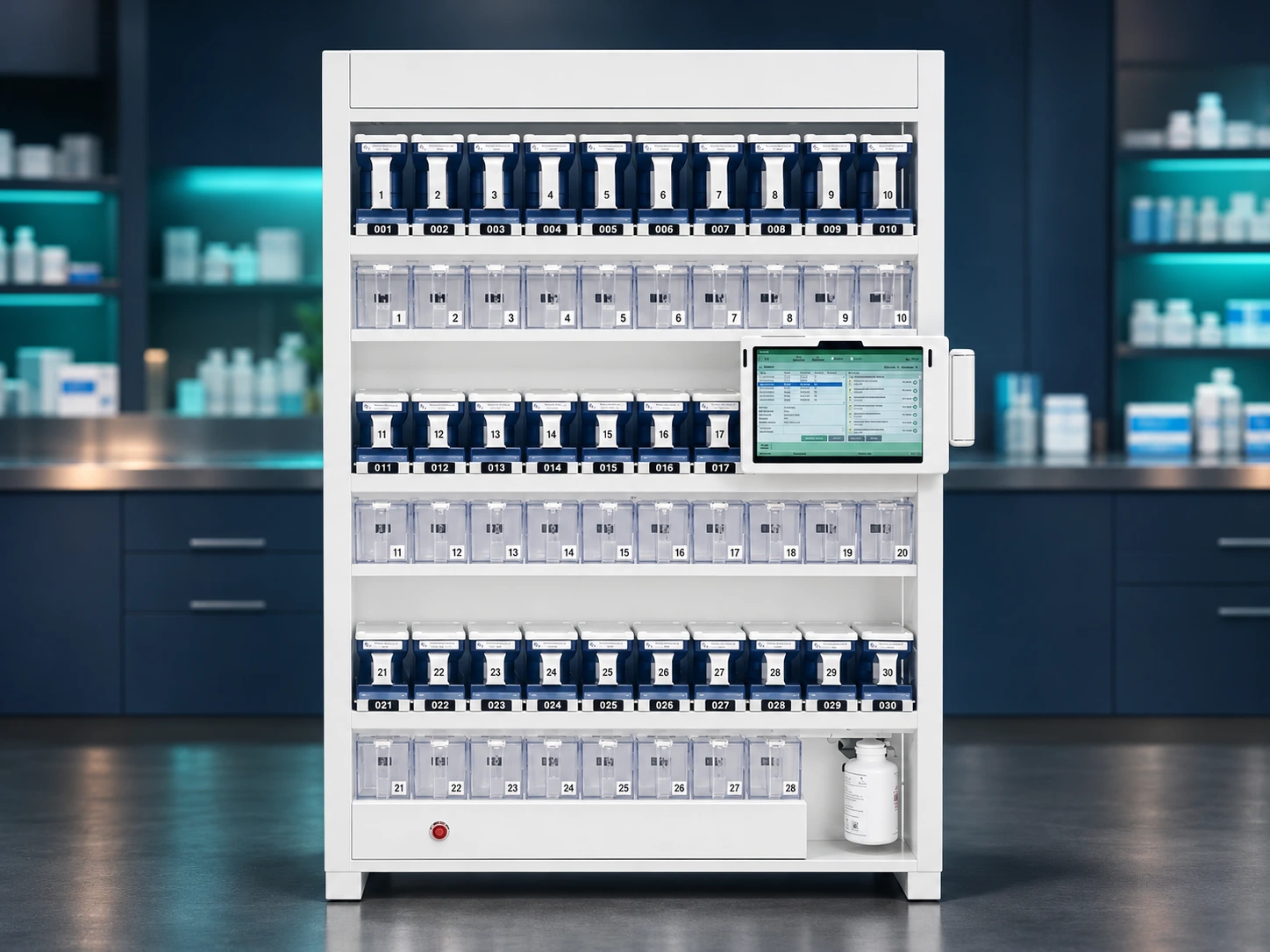
- Expandable canister capacity
- 30 → 90canisters
- Maximum dispensing speed
- 290pills/min
- Main-body size per unit (W × D × H)
- 2.65 × 0.59 × 4.00ft
- Controls connected units
- Onesoftware instance
A BETTER FIT FOR YOUR VIAL LINE
Count together. Keep your team in control.
For retail and outpatient pharmacies, this tabletop vial packaging machine brings medication counting, order status and vial-label verification into one connected process, with staff in control of each hand-off.
Multiple prescriptions
Dispense more than one prescription order at the same time, with a dedicated collection point below each canister.
Capacity that grows
Begin with 30 canisters. Add one or two connected extender units for 60 or 90 positions.
Tabletop or wall-mounted
Choose tabletop installation or wall mounting to suit your pharmacy layout. Each unit measures 2.65 × 0.59 × 4.00 ft (W × D × H); plan mounting and working clearances with MAXIS.
A visible hand-off
Staff collect the tablets, label the vial and scan its barcode for order verification on the optional touch panel.
PRODUCT FEATURES
A clear route from order
to counted tablets.
Explore how automated counting, staff-led collection and barcode verification work together in semi-automatic vial packaging.
Connect Orders and Status
Receive prescriptions from an order communication system (OCS), hospital information system (HIS) or pharmacy management system (PMS). The control software displays dispensing and collection status.
Software interfaces and setup are confirmed for your installation
OCSHISPMSAP Counter softwareDispensing statusCollection statusMTC-30Count Multiple Prescriptions
Start multiple prescription orders at the same time. Five canisters can count simultaneously. Dedicated medication canisters dispense the requested tablets, with infrared photodetection for counting.
30 canisters in the standard unit
Collect Into Cups or Vials
Tablets drop into a collection cup or the user’s vial. When using cups, staff transfer the counted tablets into the corresponding vial. Vials are available in different sizes, in glass or plastic, with child-resistant closures (often called child-safe). Confirm the vial size, material and closure options that suit your collection setup.
Automated counting with staff managing collection and vial handling
Verify the Vial Label
Print the label for each order, confirm the completed order and apply its label to the vial. Scan the vial-label barcode to verify the order on the touch panel.
Barcode scanner and label printer are optional peripherals
Order verified
KNOW THE WORKING PARTS
Built around each collection point.
SEE THE WORKFLOW
Watch the MTC-30 at work.
See semi-automatic vial packaging in a pharmacy setting, with the operator working between the machine, controls and vials.
Prepare
- 01 — Handled by the system
Receive the prescription
An order arrives from the connected OCS, HIS or PMS.
- 02 — Done by your team
Position the cup
Place the collection cup in position and send the order to the MTC.
Dispense
- 03 — Handled by the system
Dispense multiple orders
The MTC starts multiple orders at the same time. “Dispensing” appears on the touch panel.
- 04 — Handled by the system
Print the labels
The label printer produces the label for each order in process.
- 05 — Handled by the system
Wait for collection
“Wait Vial Out” appears when an order is complete.
Complete
- 06 — Done by your team
Transfer to the vial
Remove each cup and fill the corresponding vial with the counted tablets.
- 07 — Done by your team
Confirm and label
The order status changes to “Checked By”. Confirm the order and attach its label to the vial.
- 08 — Done by your team
Scan for verification
Scan the completed vial-label barcode to verify the order on the touch panel.
See tabletop vial packaging in action.
Ask to see order handling, collection, labels and barcode verification with representative prescriptions.
CHOOSE YOUR STARTING POINT
30. 60. 90. More room for your medication mix.
Start your tabletop vial packaging setup with one MTC-30. Add up to two extenders and control the connected units with a single software instance.
24 medications in the Starter (30 canisters), with 6 to spare.
Manufacturer’s connected-unit arrangement: 30, 60 or 90 canisters. Configuration illustration. Connected units must remain linked for shared control.
Compare the configurationsScroll the table sideways on smaller screens →
| Specification | MTC-30 | MTC-30 + 1 extender | MTC-30 + 2 extenders |
|---|---|---|---|
| Canister capacity | 30 | 60 | 90 |
| Connected units | 1 starter | 1 starter + 1 extender | 1 starter + 2 extenders |
| Product control | Microsoft Surface Go or touch panel (Windows 10), optional device | ||
| Communication method | RS422 | ||
| Medication detection | Infrared photodetection | ||
| Medication storage | Cabinet type with cassettes | ||
| Dispensing speed | Max 290 pills/min · 5 medicines × 90 fills (450 pills) in 2.25 min | ||
| Packing | Direct drop into cup or user's bottle | ||
| Dimension (W × D × H) | 2.65 × 0.59 × 4.00 ft per unit | ||
| Weight | 60 kg (132 lb) | ||
| Power consumption | 100W (max 500W) | ||
| Power supply | 220V/60Hz (Korea) · 120V/60Hz (US) · 230–240V/50Hz (Europe) | ||
COMPLETE THE WORKSTATION
The devices around the counter matter, too.
Specify the control panel, label printer and barcode scanner alongside the machine. The touch panel is optional; peripherals are confirmed in your quotation.
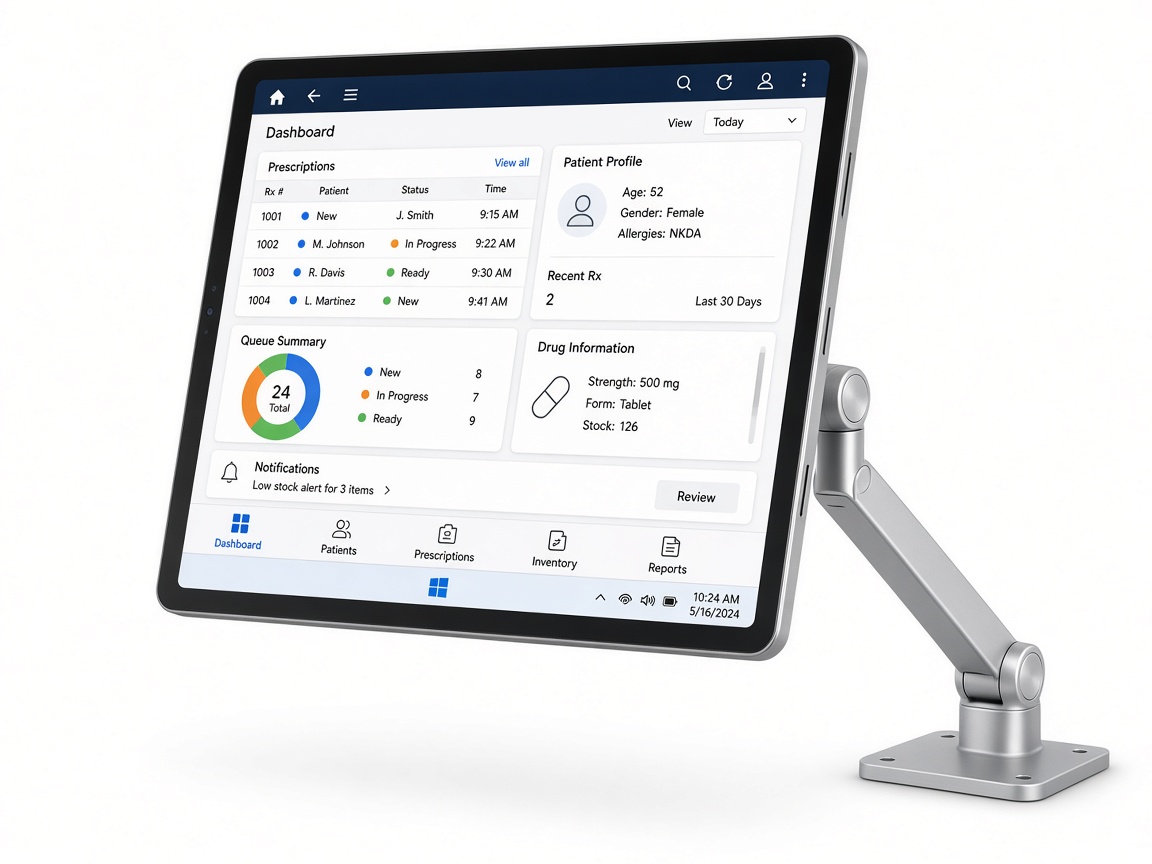
Touch panel
Operate the AP Counter software and view prescription status on a touch panel. The guide recommends Microsoft Surface Go 2 LTE or higher.
- Reference display
- 10.5 inches1,920 × 1,280
- Reference system
- Windows 10 Professional.NET 3.5
- Guide connection
- USB to RS232C
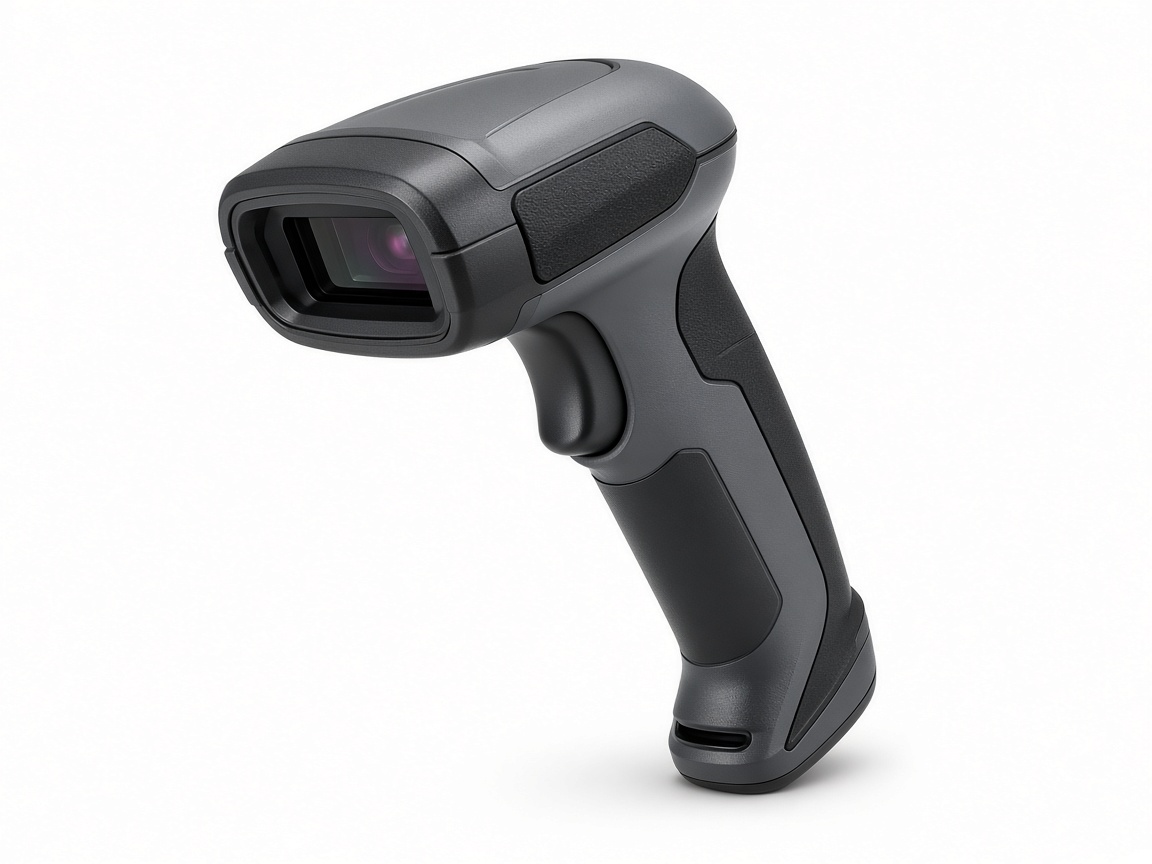
Barcode scanner
Scan the vial-label order number for verification. The guide recommends the ZEBRA SYMBOL-DS2208 scanner.
- Barcode formats
- 1D, 2Dand PDF417
- Interfaces
- PS/2, USBor RS232C with adaptor
- Reading distance
- 0–38.6 cm
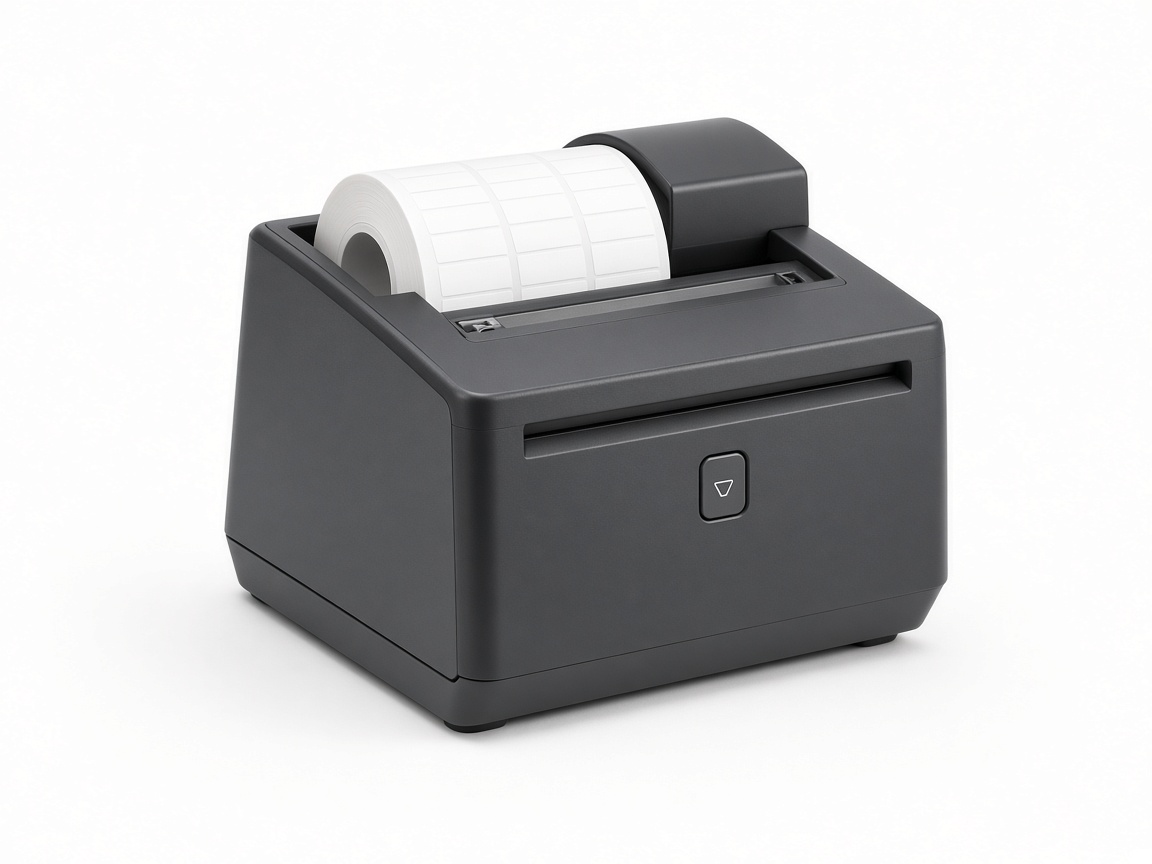
Label printer
Print vial labels for orders in process. The guide recommends the ZEBRA GK420E direct-thermal printer.
- Resolution
- 203 dpi
- Interfaces
- USB, RS-232Cand Ethernet
- Label width
- 19–108 mm
Models and software versions shown are the manufacturer guide’s recommendations. Confirm current availability, operating-system support and compatibility for your installation.
MORE THAN THE MACHINE
Plan the connections. Plan the working life.
Plan your semi-automatic vial packaging setup around the people, software, equipment and supplies that keep it working.
Connect your software
Share your software name, version and order fields. Agree the interface, vendor responsibilities and test orders before installation.
Explore integration planningPrepare your workspace
Review the supporting surface, electrical supply, cup and vial handling, IT connections and operator training.
Talk through site requirementsUnderstand the total cost
Include extenders, control devices, printers, scanners, labels, setup and service in the business case.
Explore the ROI calculatorMAXIS SUPPORT PLANNING
Support for the everyday.
- Warranty terms and coverage
- After-sales service and spare parts
- Labels and everyday supplies
- Service-plan scope and annual fees
Ask MAXIS to set out the warranty, service scope, included supplies and any annual support fees in your proposal.
BEFORE YOU DECIDE
Your questions. Clearer answers.
The practical details of choosing a tabletop vial packaging machine for your pharmacy.
What does the MTC-30 do?
The MTC-30 is a semi-automatic tabletop vial packaging machine with multi-tablet counting. It counts medications for multiple prescription orders into cups or vials. Staff manage cup placement, vial filling, label application and the pharmacy’s final checks.
How many canisters can I start with?
The standard unit has 30 canisters. Add one extender for 60 or two extenders for 90. One software instance controls the connected units; the manufacturer specifies that separated machines cannot be controlled together in this arrangement.
How fast does it dispense?
The manufacturer lists a maximum dispensing speed of 290 pills per minute. Its separate example counts five medications with 90 tablets each, or 450 tablets in total, in approximately 2.25 minutes. Practical throughput also depends on the orders, medication mix and staff handling. Ask to see a representative workload in a demonstration.
Does the machine fill and cap vials automatically?
The MTC dispenses counted tablets into a cup or the user’s vial. In the documented cup-based workflow, staff remove each cup, transfer the tablets to the corresponding vial, apply the label and scan the barcode. Automatic vial handling and capping are not part of that process.
How are orders checked?
Infrared photodetection is used for tablet counting. Staff confirm the completed order, attach its label to the vial and scan the vial-label barcode for order verification on the touch panel. Your pharmacy’s clinical checks and final release process remain part of the workflow.
Can it connect to our pharmacy software?
The manufacturer describes orders from OCS, HIS and PMS systems and lists RS422 machine communication. Share your software name, version and required order fields with MAXIS so the interface, responsibilities and test orders can be reviewed before installation.
Are the touch panel, scanner and printer included?
The touch panel is an optional device. A barcode scanner and label printer are recommended peripherals for the documented workflow. Your quotation should identify which devices, mounting hardware, software and connections are included.
Can the MTC-30 be installed on a tabletop or wall-mounted?
Yes. The MTC-30 supports tabletop installation or wall mounting to suit your pharmacy layout. The main body is 808 mm wide, 180 mm deep and 1,220 mm high per unit, approximately 2.65 × 0.59 × 4.00 feet, and weighs 60 kg. Plan the supporting surface or wall mounting with MAXIS, along with space for the optional control panel, staff, cups, vials and replenishment.
What are the power requirements?
The manufacturer lists 100 W power consumption with a 500 W maximum. Its regional supply specifications are 220 V / 60 Hz, 120 V / 60 Hz and 230–240 V / 50 Hz. MAXIS will confirm the electrical configuration and site requirements for the quoted installation.
Which peripheral models are recommended?
The supplied manufacturer guide recommends Microsoft Surface Go 2 LTE or higher for the optional touch panel, a ZEBRA SYMBOL-DS2208 barcode scanner and a ZEBRA GK420E label printer. These are reference recommendations; confirm current availability, operating-system support and compatibility when configuring your system.
What should I include in a quote request?
Share your pharmacy setting, common medications, typical prescription quantities, software details, available space and preferred capacity. Ask MAXIS to itemize the machine, extenders, software, peripherals, installation, training, warranty and ongoing support.
What after-sales support does MAXIS provide for the MTC-30?
Contact MAXIS for help with MTC-30 operation, troubleshooting, service, spare parts and everyday supplies. Your proposal will set out the warranty terms, service scope and any ongoing support fees. Discuss your support needs before installation so you know how to request assistance and what is included in your plan.
Can I see a demonstration?
Yes. Watch the product video in the From Order to Vial section on this page to see the machine and operator at work. For a closer look at your own requirements, ask MAXIS for a guided demonstration covering order receipt, counting, collection, labels and barcode verification. Bring representative order volumes and questions about your workflow.
COMPARE YOUR OPTIONS
The right format for the way you dispense.
YOUR PHARMACY. YOUR NEXT STEP.
Let’s find your fit.
Bring your medication mix, prescription workload and available space.
We’ll help you configure semi-automatic tabletop vial packaging for your pharmacy.