
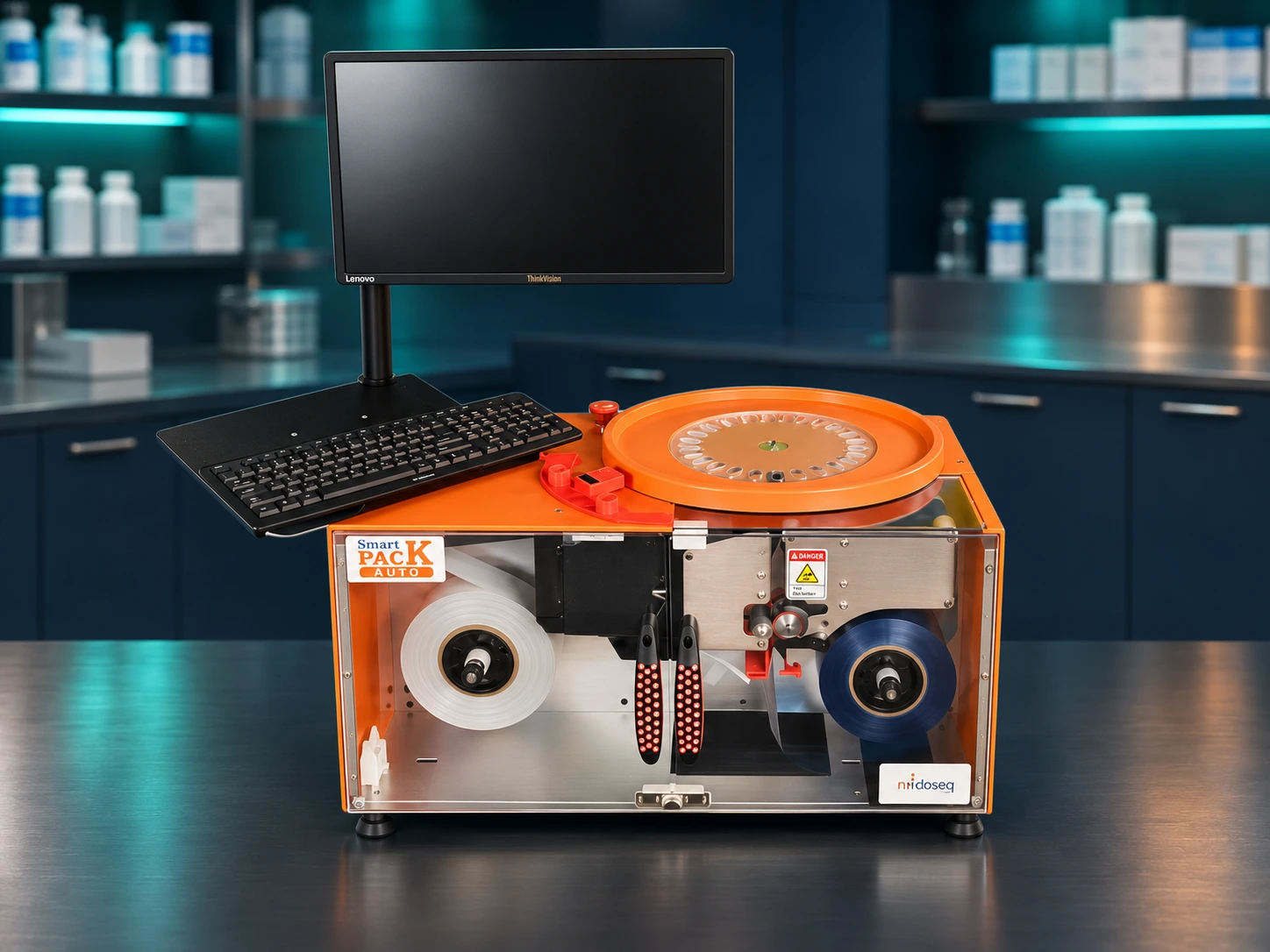
SEMI-AUTOMATIC MULTI-DOSE PACKAGING
One dose time.
One organised pouch.
Bring medications for the same administration time together in one labelled pouch. Your team loads the MTU slots with on-screen guidance; Tabletop AdherencePackRx handles the packaging.
- Multi-dose pouches
- Two sizes
- Built-in Smart Print
- 30 pouches/min
- Published maximum packaging speed
- 2 pouch sizes
- 3.0-inch width; two heights
- Multi-dose
- Medications for one administration time
- Built-in Smart Print
- Patient and prescription label setup
A CLEARER MULTI-DOSE WORKFLOW
Hands-on preparation. Dose-time organisation.
For pharmacies preparing medication groups by day and administration time, the tabletop system connects guided loading with printed multi-dose output. Staff remain responsible for medication selection, loading quantities and final checks.
Guided MTU loading
Follow the on-screen sequence and prepare the required quantities in the indicated slots.
A tabletop setup
Plan a suitable work surface, access to the loading area, pouch output and cleaning space.
Dose-time pouches
Group the prescribed medications for the same administration time, with the corresponding printed details.
Staff-led release
Use barcode checks alongside your medication-content checks and pharmacy release procedures.
PRODUCT FEATURES
The details behind a dose-time pouch.
Explore guided medication loading, multi-dose output and the information printed with each prepared group.
Select the medication on screen, then place the required quantity into the MTU slots following the loading guide. Staff control which medications and quantities enter each dose-time group.
The published maximum is 30 multi-dose pouches per minute. Loading, prescription complexity and checking affect the overall time needed to prepare a run.
Choose a 3.0-inch width with a 2.2- or 3.3-inch height. Confirm medication fit, approved materials and label layout for the prescriptions you intend to package.
MAXIS lists calibration-free dispensing for this model. Staff still prepare the correct quantities in the MTU slots; this is a semi-automatic loading workflow.
The listed orientation mechanism positions medication away from the sealing area. Check that your medication mix and chosen pouch are suitable during the demonstration.
SEE THE WORKFLOW
See multi-dose packaging at work.
Follow the guided loading process and see how prepared medication groups become labelled dose-time pouches.
Manufacturer demonstration · hosted on YouTube
Select the medication
Retrieve the source medication and select its record on screen.
Load the MTU slots
Follow the on-screen guide and place the prescribed quantities in the indicated slots.
Transfer the dose
The machine transfers the prepared medication group from the MTU into a multi-dose pouch.
Print and package
Print the configured patient, medication and administration-time details and seal the pouch.
Check and release
Check the barcode and pouch contents, then complete your pharmacy’s release procedures.
A demonstration around your prescriptions.
See guided loading, pouch output, label setup and checking with a representative medication mix.
THE FINISHED MULTI-DOSE POUCH
Medications together. Information alongside.
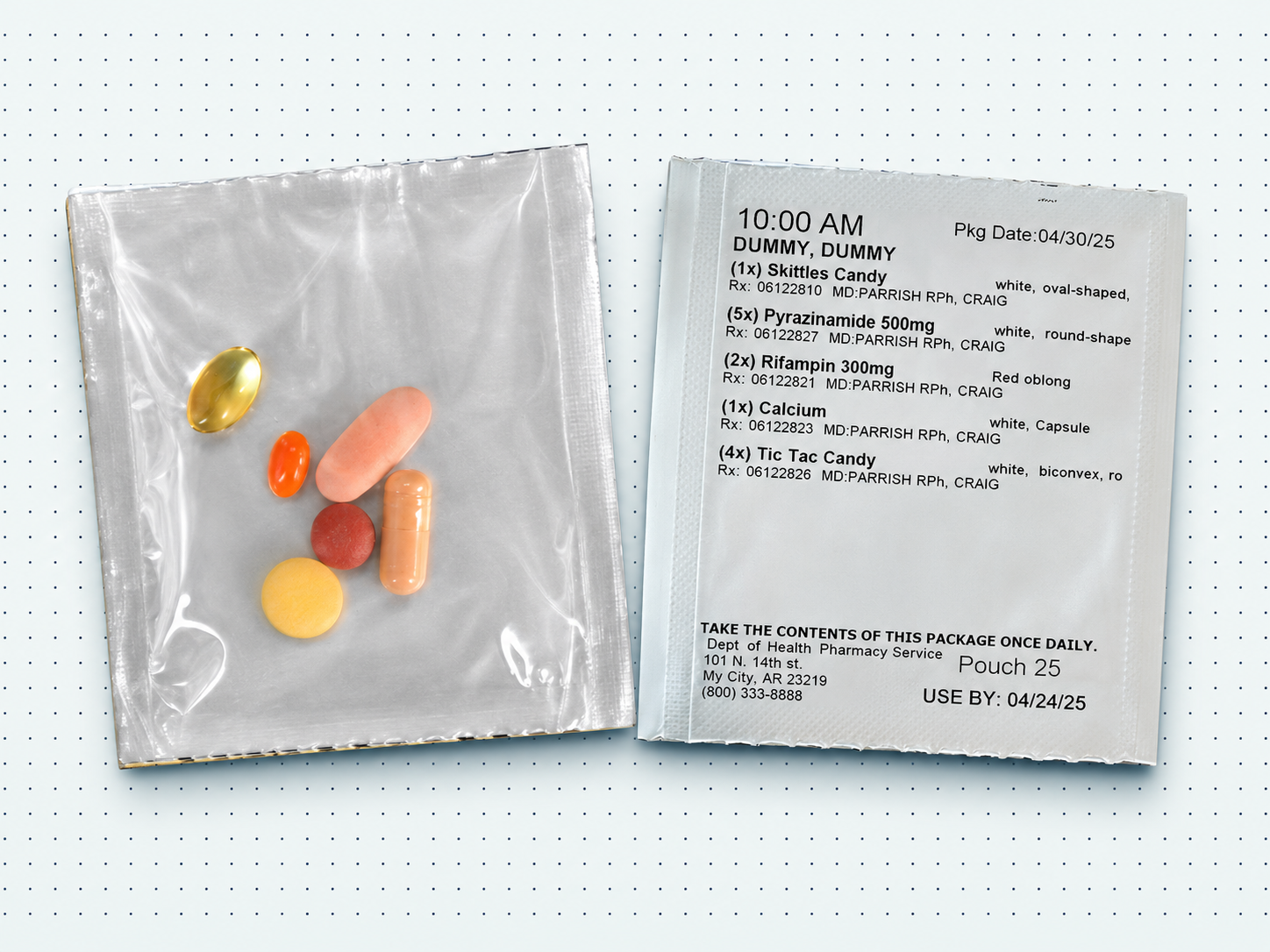
Plan pouch fit and label content around the prescribed administration time.
- Pouch width
- 3.0 in
- Pouch heights
- 2.2 or 3.3 in
- Administration details
- Configure patient, medication, day, date and dose-time fields for the workflow.
- Barcode formats
- 1D linear, Data Matrix, Aztec, QR and GS1. Validate the selected format with downstream scanners.
- Smart Print
- Pre-installed software for the configured prescription and label information.
Content checks remain essential
A readable barcode does not establish that every medication or quantity in the pouch is correct. Include your pharmacy’s medication-content review and final release checks.
Cleaning between medications
Follow the manufacturer’s instructions for medication-contact areas, approved cleaning methods and changeover. Ask to see the cleaning process during your demonstration.
PLAN YOUR TABLETOP SETUP
A clearer view of the configuration.
Review the published tabletop values, then confirm the installed machine and accessories in your proposal.
Specifications at a glance
Key specifications for planning your tabletop setup.
- Loading method
- Guided MTU loading
- Pouch format
- Multi-dose packaging
| Maximum packaging speed | Up to 30 pouches/min |
|---|---|
| Loading | Staff load the MTU slots using the on-screen guide |
| Pouch contents | Multiple prescribed medications for the same administration time |
| Pouch sizes (W × H) | 3.0 × 2.2 in or 3.0 × 3.3 in |
| Software | Built-in Smart Print |
| Barcodes | 1D linear; Data Matrix, Aztec, QR and GS1 |
| Published dimensions (H × L × D) | 1.17 × 2.17 × 1.25 ft (14 × 26 × 15 in) |
| Published weight | 60 lb (approximately 27.2 kg) |
| Power options | 115 VAC / 60 Hz / 320 VA or 230 VAC / 50 Hz / 320 VA |
| Listed sealing temperature | 93 °C |
| Dedicated medication canisters | No — guided MTU loading |
| Computer | Built in |
| Manufacturer / country of origin | Unidoses / USA |
Physical and electrical values are from the tabletop product specification table. Confirm the full installed envelope, display and keyboard clearances, compatible medication and packaging material, and supplied electrical configuration.
A DIFFERENT LOADING METHOD
Need dedicated medication canisters?
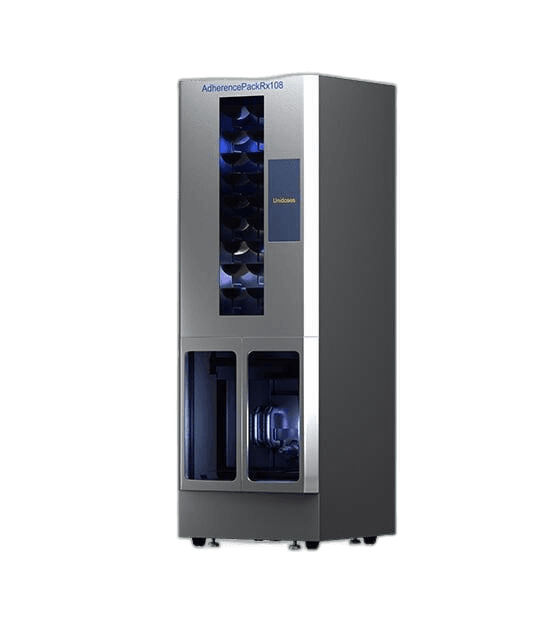
Compare canister-based preparation on AdherencePackRx 108 with the guided MTU loading on this tabletop model.
Explore AdherencePackRx 108MORE THAN THE MACHINE
Prepare the setup. Support the working day.
Include software, medication handling, consumables and staff training in the installation plan.
Connect your software
Share your pharmacy system, version and required patient and prescription fields. Agree interface responsibilities and test orders before installation.
Prepare your workstation
Plan a suitable work surface, power, loading access, pouch output, cleaning space and operator training.
Plan the everyday supplies
Review compatible pouch materials, print consumables, maintenance, service and replenishment alongside the machine.
MAXIS AFTER-SALES SUPPORT
Support for the everyday.
- Warranty and service scope
- Troubleshooting and spare parts
- Packaging and print supplies
- Operator training and cleaning
Confirm included training, on-site availability, support hours and ongoing fees in the quotation.
BEFORE YOU DECIDE
Your questions. Clearer answers.
The practical details of guided tabletop multi-dose packaging.
How does this differ from Smart Pack?
Smart Pack produces unit-dose pouches with one tablet per pouch. Tabletop AdherencePackRx groups multiple prescribed medications for the same administration time in a multi-dose pouch. Both require staff to prepare the medication being loaded.
Is medication loading automatic?
This is the semi-automatic tabletop model. Staff select a medication and load the correct quantities into the MTU slots using the on-screen guide. The machine then transfers and packages the prepared groups. The AdherencePackRx 108 uses a different, dedicated-canister loading arrangement.
What is its packaging speed?
The product specification and main workflow description list up to 30 pouches per minute. This is the packaging maximum, not an end-to-end prescription preparation rate; loading, checking and replenishment add time.
What pouch sizes are available?
Two standard sizes are listed: 3.0 inches wide × 2.2 inches high and 3.0 inches wide × 3.3 inches high. Confirm the fit of your medication mix and required printed information with MAXIS.
What does barcode verification check?
The scanner checks whether the finished barcode can be read and whether its encoded information is correct. It does not replace checking the medications inside, clinical review or the pharmacy’s final release procedures.
Can it connect to our pharmacy software?
The MAXIS information lists QS1, ComputerRx and PioneerRx as integration examples. Share the exact software version and required prescription fields so compatibility, responsibilities and test orders can be agreed before installation.
What space and power should we plan for?
The tabletop product table lists 14 inches high × 26 inches long × 15 inches deep and 60 lb. Published power options are 115 VAC / 60 Hz / 320 VA or 230 VAC / 50 Hz / 320 VA. Confirm the installed envelope, display and keyboard space, cleaning access and electrical configuration in your proposal.
How should the machine be cleaned?
Follow the manufacturer’s cleaning instructions for medication-contact parts and the packaging path. Plan cleaning between medication changeovers and ask MAXIS to demonstrate access, approved methods and consumable replacement during training.
What service and training are included?
Ask MAXIS to confirm warranty, operator training, troubleshooting, spare parts, on-site service availability and ongoing support costs in the quotation. Include packaging material and print consumables in your operating plan.
How do I arrange a demonstration?
Share representative prescriptions, your medication mix, pharmacy software, workload and available workspace. Ask to see MTU loading, multi-dose output, label setup, barcode checks and cleaning with a representative run.
COMPARE YOUR OPTIONS
Choose the format for your workflow.
YOUR PHARMACY. YOUR NEXT STEP.
Let’s plan your multi-dose workflow.
Bring your prescriptions, medication mix and available workspace.
We’ll help you assess a suitable tabletop setup.